This is the shortest path from a newly installed pump.is system to everyday use. You can follow it straight through and open the detailed guides only when you need them.
1. Install the app and connect
Install the pump.is app on your phone, allow Bluetooth access, and pair from inside the app. Don’t pair from the phone’s Bluetooth settings.
Follow the install and connection guide.
When the connection is ready, the app loads your vehicle configuration and opens the main screen.
2. Calibrate the system
Calibration teaches the controller how quickly your particular compressor, hoses, and tires inflate and deflate.
Open Settings → System Calibration. Check that Maximum tire pressure is no higher than the rating on your tires, then run both tire calibration routines. If your system controls air suspension, run the Suspension calibration too.
3. Make your first pressure change
Back on the main screen:
- Use + and − to choose a target pressure.
- Turn on the activation switch in the lower-left corner.
- Watch the measured pressure move toward the target.
By default, that target applies to every tire. Once a tire reaches the target, the controller keeps it there while the system remains active.
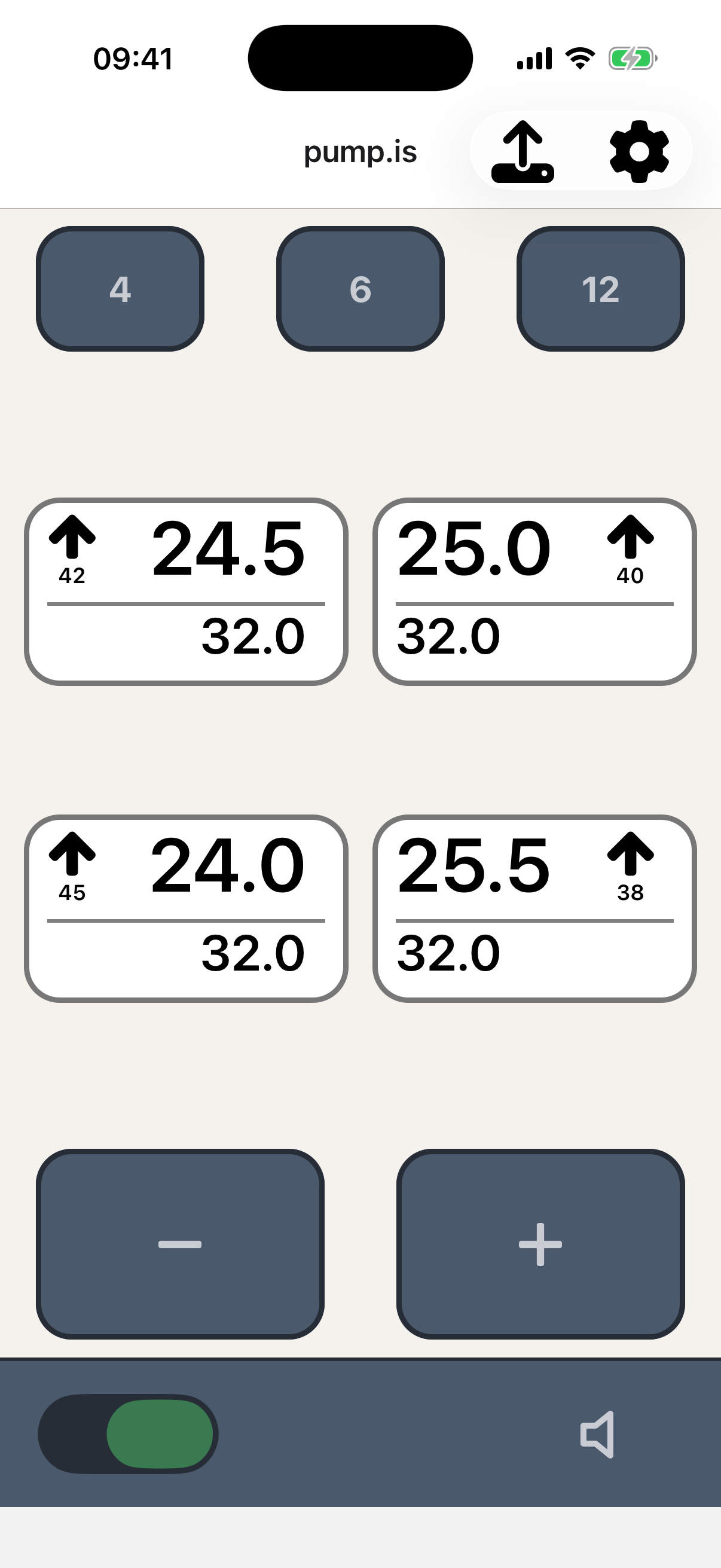
Learn the everyday app controls.
4. Save the pressures you use most
The three buttons at the top are presets. Press and hold one to save a pressure, then tap it whenever you want to return to that target. A road pressure and a soft-ground pressure are a useful place to start.
5. Make it yours
Once the basics are working, the rest is optional:
- Give the device a recognizable name or add a password under Settings and security.
- Check for firmware updates.
- If fitted, learn the air suspension controls or the hardware display.
You’re set. For normal driving, most of your time will be spent on the main screen: choose a pressure, activate the system, and let pump.is look after it.